Blog
Spec Reviewer Design Spotlight
Spec Reviewer Design Spotlight turns screenshot evidence into a single, review-ready artifact for each requirement.
Feb 3, 2026
Osher Maayan

Spec Reviewer Design Spotlight turns screenshot evidence into a single, review-ready artifact for each requirement.
Screenshots, captured by the Playright MCP, are essential evidence for the Baz review agents but they impose inherent friction as means to communicate review results. Our AI Reviewers must find the UI element the requirement refers to, decide whether the issue is content, spacing, a missing element, or styling, and then map that observation to code or tests. That ambiguity slowed our own review cycles and weakened the feedback loop between what designers, PMs and developers.
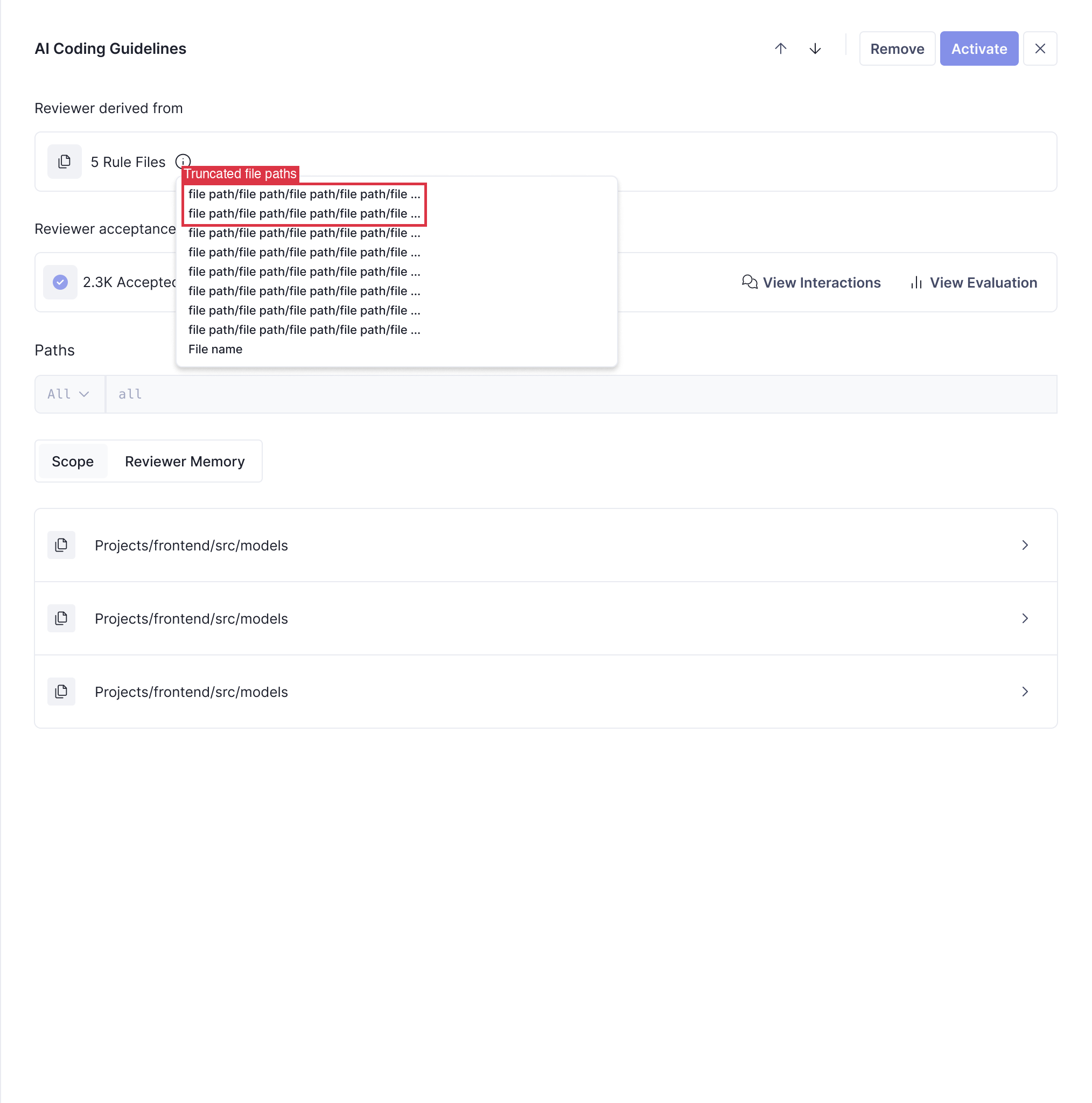
We built Spec Reviewer Design Spotlight to remove that ambiguity and make visual evidence first class in the review loop. Design Spotlight converts raw screenshots into a single, review-ready artifact for each requirement: an annotated image that highlights the precise UI region, includes a short descriptive label, and uses color to communicate the requirement status at a glance. The annotated image becomes the canonical visual evidence that reviewers and engineers use to verify issues, decide remediation, and close the loop back to the codebase.
Under the hood the feature is a staged, defensive pipeline that runs as part of the spec review flow. Images are analyzed to find layout and visual cues, a guided localization step identifies the element or elements that correspond to a requirement and returns pixel coordinates and labels, and a resolution-aware renderer paints numbered, padded boxes and readable labels so annotations stay legible across device sizes. Filenames are explicit so every annotated image is easy to trace back to the requirement that produced it. The system is parallelized to handle many requirements efficiently and is designed so failures never remove the original evidence.
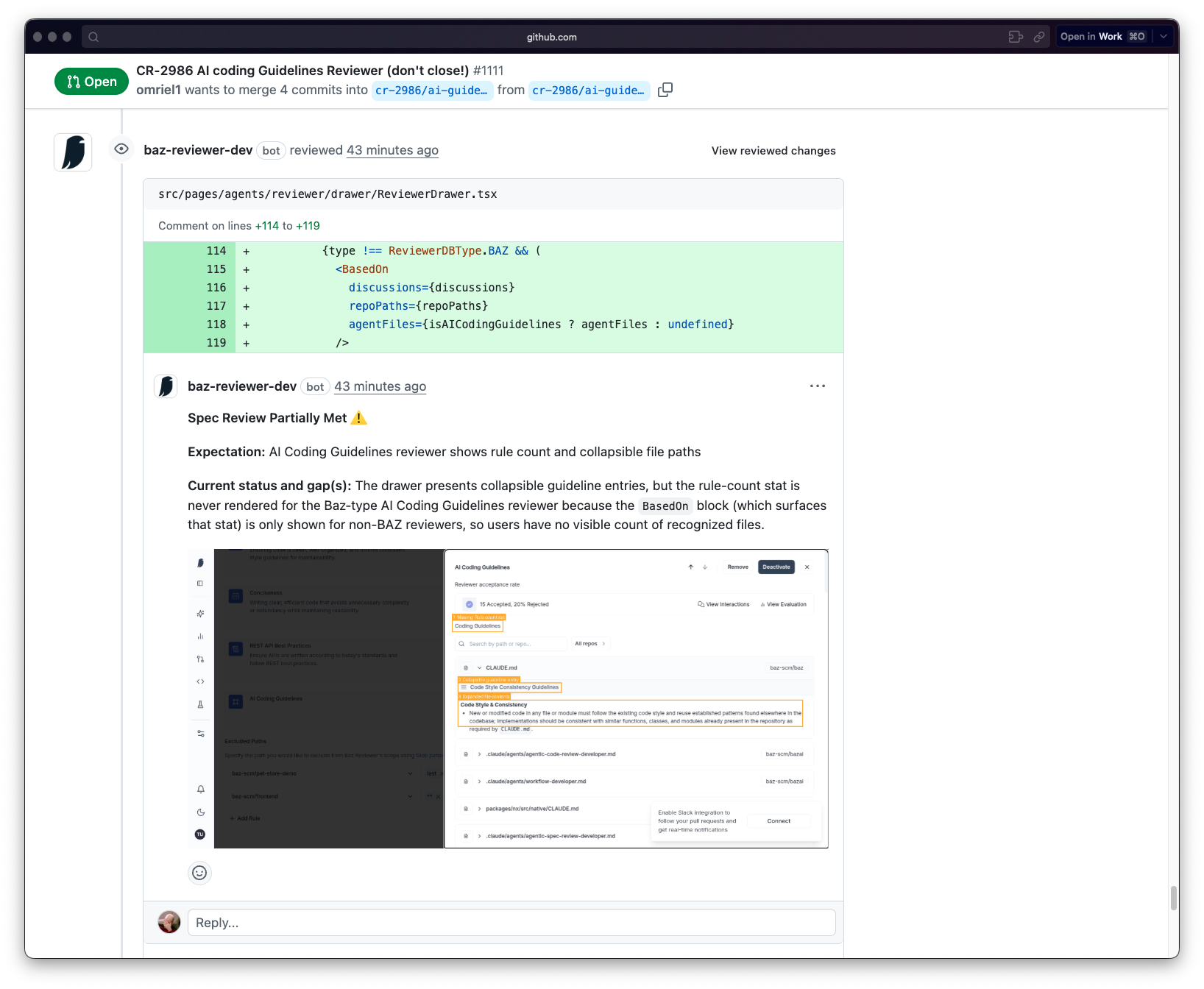
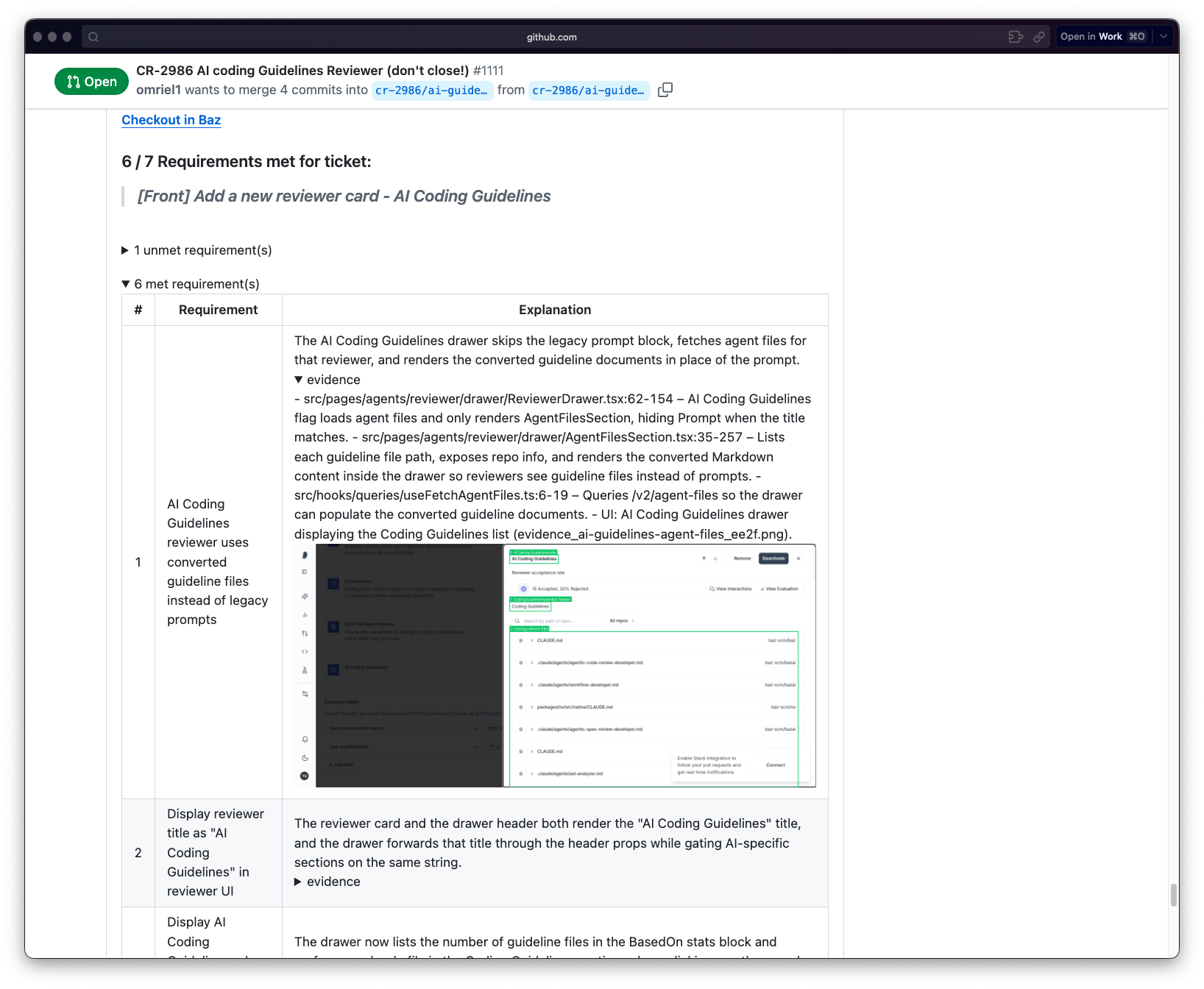
Design Spotlight strengthens the runtime AI coding loop we described in our post "The AI coding loop hits runtime" by supplying concrete, machine friendly runtime artifacts that humans can act on. Annotated screenshots shorten verification cycles because reviewers no longer have to hunt on a page to validate an agent finding. A boxed and labeled UI region converts a vague runtime symptom into a precise remediation target, which makes it much easier to map an observation to a failing test, a styling rule, or a code snippet. Because annotations are structured and predictable they also become reliable inputs for downstream automation, from verification steps to tooling that tries to map UI observations back to code or tests.
We focused the design on practical robustness. Localization prefers precise visual coordinates when available and uses contextual cues when the element is primarily visual. If the system cannot confidently localize a requirement, the original screenshot is preserved and the outcome is surfaced, so reviewers always have raw evidence. Rendering uses scale-aware rules for strokes and fonts and places labels with safety checks so nothing is clipped outside the image. All stages are defensive, errors are logged, and the reviewer experience is never blocked by a processing failure.
There are known limitations we will address. Localization is probabilistic and can benefit from explicit confidence indicators and an optional, low-friction verification step for reviewers. Visual analysis fidelity varies with fonts, languages, and highly stylized interfaces, so we will evaluate additional techniques where customers need higher accuracy. We also plan to extend Design Spotlight to better support multi-screen flows and to strengthen linking from annotated regions to code and test locations so remediation becomes even faster.
Spec Reviewer Design Spotlight turns screenshots from noisy evidence into precise, actionable runtime-visible artifacts. It removes guesswork for reviewers, accelerates remediation for engineers, and supplies higher quality signals for the automated pieces of the AI coding loop. If you would like, I can prepare a short demo script and a sample annotated screenshot to use in documentation and release notes.


.png)